How Do QR Codes Work? What Is Actually Inside the Squares
How QR codes work, from the bytes in the grid to the redirect behind a dynamic code — including why two codes for the same link can look completely different.
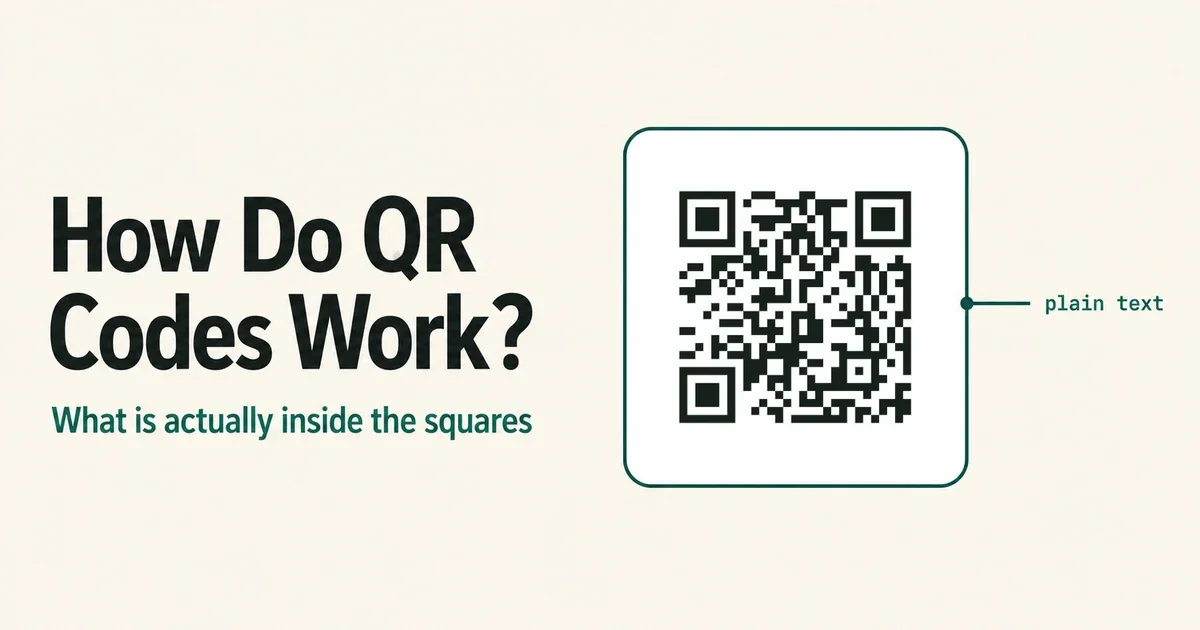
Point a camera at a QR code and something opens in under a second. The part worth understanding is that almost none of the work happens in the square — the square holds a short string, and everything else is a decision somebody made about what that string points at.
How QR codes work: a QR code stores text as a grid of black and white squares called modules. A scanner reads the grid, reconstructs the text — usually a web address — and hands it to the phone, which opens it. The code itself holds no images, no files and no logic. It is a printed string of characters.
What's actually stored in those squares
A QR code is a grid, and its size is not arbitrary. There are 40 defined versions, from version 1 at 21×21 modules up to version 40 at 177×177. The encoder picks the smallest version that fits your data, which is why a short link produces a sparse, chunky code and a long one produces a dense mesh.
Capacity tops out at 2,953 bytes — a couple of pages of plain text, and less than a single page of most PDFs. That ceiling is the reason a code that opens a document is always, underneath, a code that opens a link.
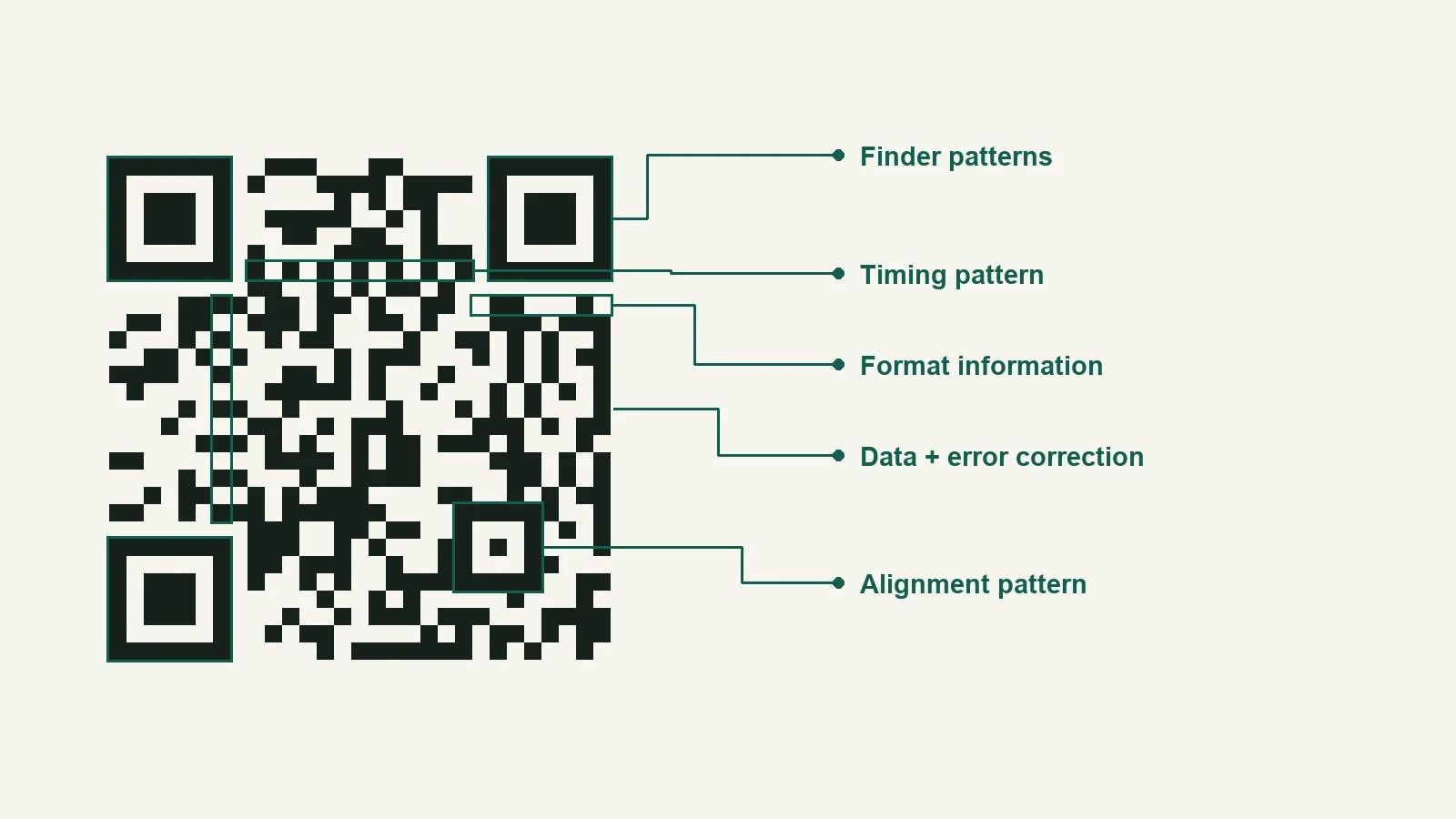
Not all of the grid is your data. Several regions are structural and identical in every code:
- Three finder patterns, the big squares in the corners. They are what lets a scanner find the code at all, at any rotation, from any angle. Three rather than four is deliberate: the missing corner is how the scanner knows which way up it is.
- Timing patterns, the alternating line of modules running between the finders, which tells the scanner how wide one module is.
- Alignment patterns, small squares that appear from version 2 onward and correct for the warp you get on a curved bottle or a creased flyer.
- Format and version information, a short block declaring which error correction level and version this code uses, stored twice so a damaged copy still reads.
Everything left over is your string, encoded in one of four modes. Numeric packs tightest, then alphanumeric, then byte; a fourth mode exists for kanji. A URL goes in as bytes, the loosest of the three you are likely to hit — one reason short links matter more than they look like they should.
Why a scuffed code still scans
The interesting part is the redundancy. QR codes use Reed–Solomon error correction, the same family of maths that keeps a scratched CD playing, and it is chosen at generation time from four levels: L recovers about 7% of the code, M about 15%, Q about 25%, H about 30%.
Those recovery bytes live in the same grid as your data. Raise the level and the code has to grow, or pack more modules into the same square — which is why an H-level code needs a bigger print or a better camera than an L-level one carrying the same link. It is a straight trade, not a free upgrade.
This is also what makes a logo in the middle of a code possible at all. A logo is not printed over the code so much as printed instead of the modules underneath it, and error correction is what rebuilds them. Anything above roughly 30% coverage stops being recoverable no matter what level you picked, which is why a code with an oversized logo photographs beautifully and refuses to scan.
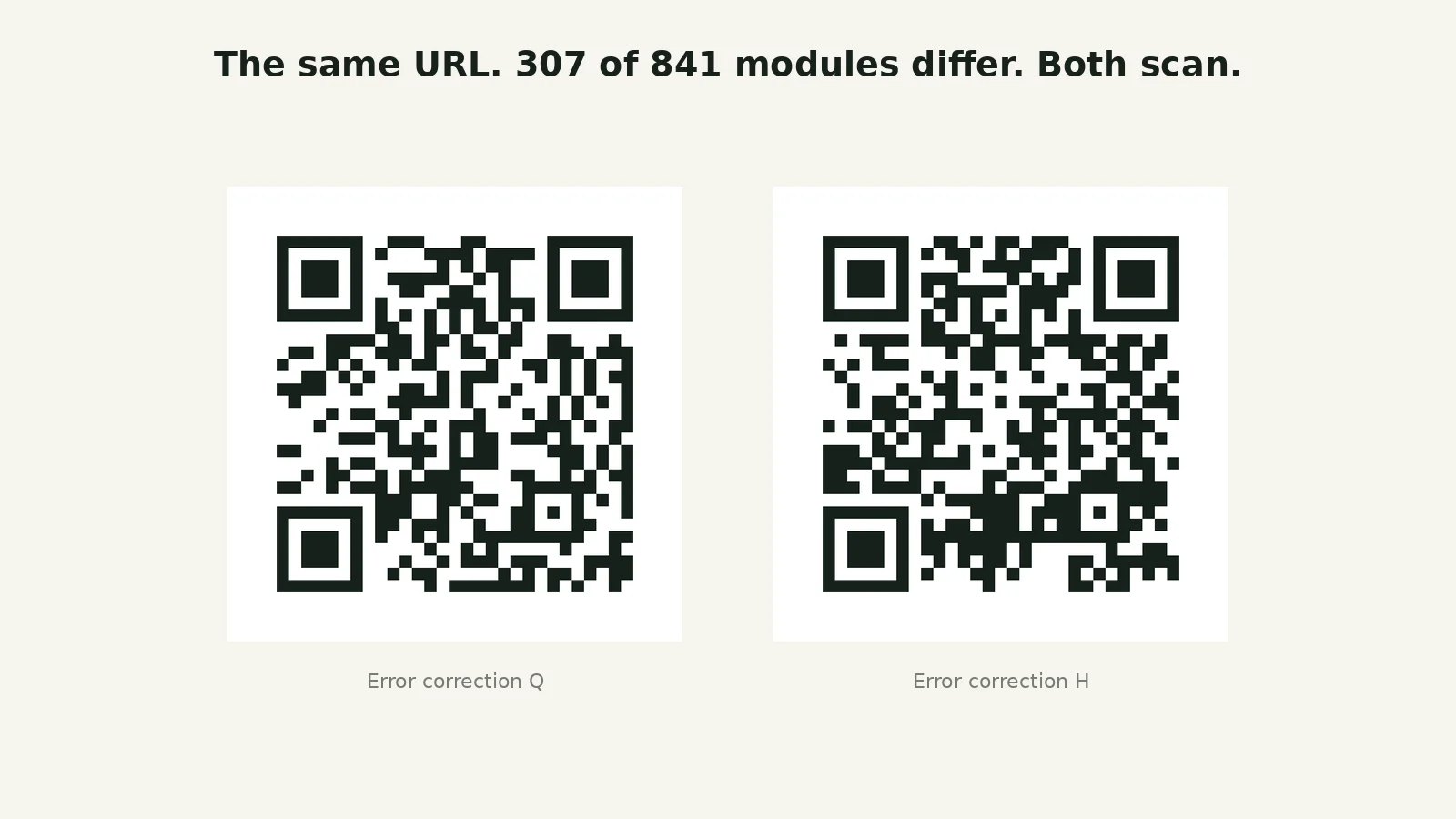
Two things make codes for the same link look nothing alike, which is the answer to a question people ask and rarely get answered. The first is those redundancy bytes: change the error correction level and you change a large share of what is actually written into the grid. The second is masking. Before finalising a code the encoder XORs the data region with one of eight mask patterns and keeps whichever produces the most balanced spread of light and dark, since large solid blocks confuse scanners.
You can watch both happen at once. We generated https://qrcodeforpdf.app twice with our own encoder, once at error correction level Q and once at level H. Both land on version 3, both 29×29 modules, both scan first try — and compared square by square, 307 of the 841 modules are different. Over a third of the grid, carrying the same twenty-four characters.
Static and dynamic: same squares, different promise
Here is where the technical answer stops and a business decision starts.
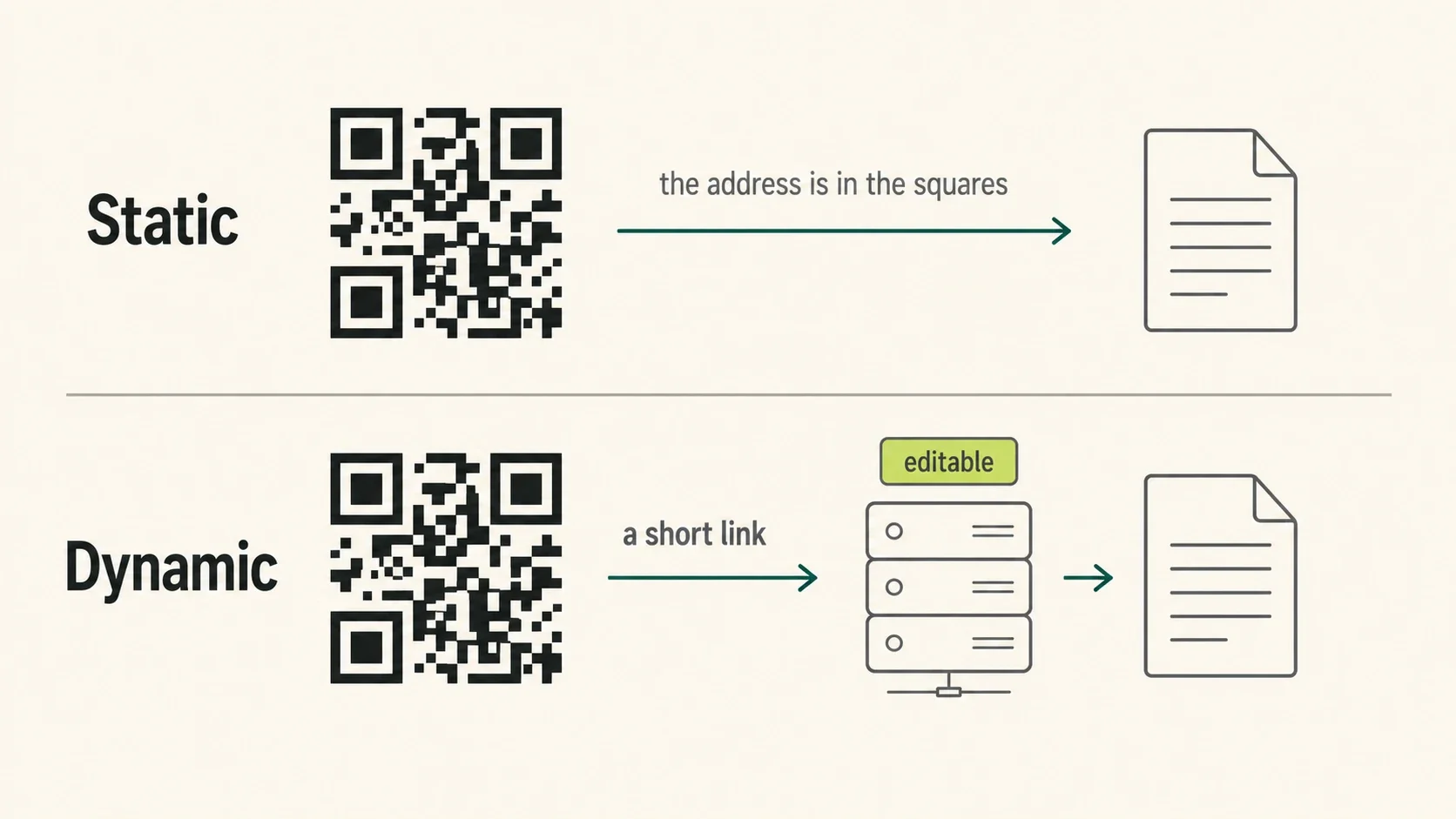
A static code has the destination encoded directly into the grid. Scan it and the phone reads, say, https://example.com/menu.pdf straight out of the squares. Nothing sits in between. Nobody has to still be in business for it to work — the code is self-contained, and a static code printed in 2015 will still decode in 2045.
A dynamic code encodes a short link instead: something like qrpdf.link/6rxwc. Those characters resolve to nothing on their own. A server has to receive that request and answer it with a redirect to wherever the file currently lives. The squares never change; what the squares mean is a database row somebody can edit.
That single difference is the entire reason the two words exist, and it cuts both ways:
| Static | Dynamic | |
|---|---|---|
| Destination after printing | Fixed forever | Changeable any time |
| Needs a service running | No | Yes |
| Scan data | None possible | Counts, timing, location |
| Long link handling | Grows the code | Always short |
| If the provider disappears | Keeps working | Stops working |
Static is genuinely the right answer for some jobs. A wifi password on a card, a phone number, a plain-text label on a machine, a link to a page you own and will never move — encode it directly and be done. Adding a middleman to a URL you already control buys nothing.
Dynamic earns its keep when the destination is not final, when you need to know whether the print worked, or when the raw link is too long to print small. A restaurant menu is all three at once: prices move, you want to know if the table tents get used, and the underlying file path is ugly.
The other end of the link
If you print a dynamic code, you have taken on a dependency, and it is worth being clear-eyed about what kind.
The code on the paper is permanent. Ink does not rot, and a scanner in 2040 will decode that grid to exactly the string it decoded to on press day. What is not permanent is the answer to that string. Someone runs the server that turns qrpdf.link/6rxwc into a document, and printed codes outlive business models with some regularity. The relevant question about any QR service is not what it can do — it is what happens to your printed material if it stops.
Three failure modes actually show up, in rough order of frequency. A free plan turns out to have been a trial, and the code goes dead or starts showing an ad page to whoever scans. An account lapses and takes its codes with it. Or the service shuts down and every code it ever issued becomes a dead link at once.
We run one of these services, so here is ours stated plainly rather than left for you to discover. A code made without an account expires 7 days after it is created — a week, because the clock that matters is the recipient's rather than yours: things get sent on a Friday and opened on a Monday. Create a free account inside that window and the same code becomes permanent, same short link, nothing to reprint. Codes attached to an account do not expire at all: no trial clock, no expiry date, and the free plan's 3 codes stay live indefinitely. What we charge for is quantity and analytics, not for the code continuing to resolve. The pricing is one page.
What nobody in this market can honestly tell you is which redirect services will still be answering in 2040. Ours is new. That is not a reassuring sentence, and I would rather write it than the alternative — but it is the reason the honest advice is to match the code type to the print run. A poster that comes down in six weeks can depend on anybody. A code going onto ten thousand product boxes deserves a static link to a domain you own, or a provider you have actually read the terms of.
So: a grid of modules holding a few hundred bytes, a layer of Reed–Solomon redundancy so it survives being printed on things people touch, and — if it is dynamic — a redirect somewhere with your name on the account. The first two parts are settled physics and have not changed since 1994. The third is the only part you get to decide, and the only part that can fail. If the thing on the other end is a document that will change, that decision is worth making on purpose.